

AI Invoice maker for iPhone, Android and the web
Invoice in seconds. Get paid faster.
Say what the job was, and Invoxa AI drafts the invoice: client, lines and prices. Send it as a link, see the moment your client opens it, and let them pay by card, Apple Pay or Google Pay.


- Free to start
- No card needed
- Works in your language
Invoxa AI
Let AI do the typing
Describe the job in one sentence, or drop in the invoices you already have. Invoxa fills in the client, the lines and the prices, and nothing is saved until you have checked it.
Say it. Get the invoice.
Tap Describe it and say what the job was. The client, lines, quantities, prices, tax and due date fill in for you to check.
Bring your old invoices
Drop invoices from any app as PDF files, photos or screenshots. Clients, items, amounts and payments are read for you, and your numbering carries on.
Knows your clients and prices
A name you say is matched to your client list, and an item from your catalog brings its price along.
Speaks your language
Dictate in English, Spanish, German or any language your phone understands; the lines stay in it.
- Your voice never reaches Invoxa, only the text
- Nothing is saved until you check it
- Your data is not used to train AI models
Invoice maker features
Everything you need to get paid
Get paid online
Clients pay from the invoice by card, Apple Pay or Google Pay. The money goes to your own Stripe account, and the invoice is marked paid.
See when it's opened
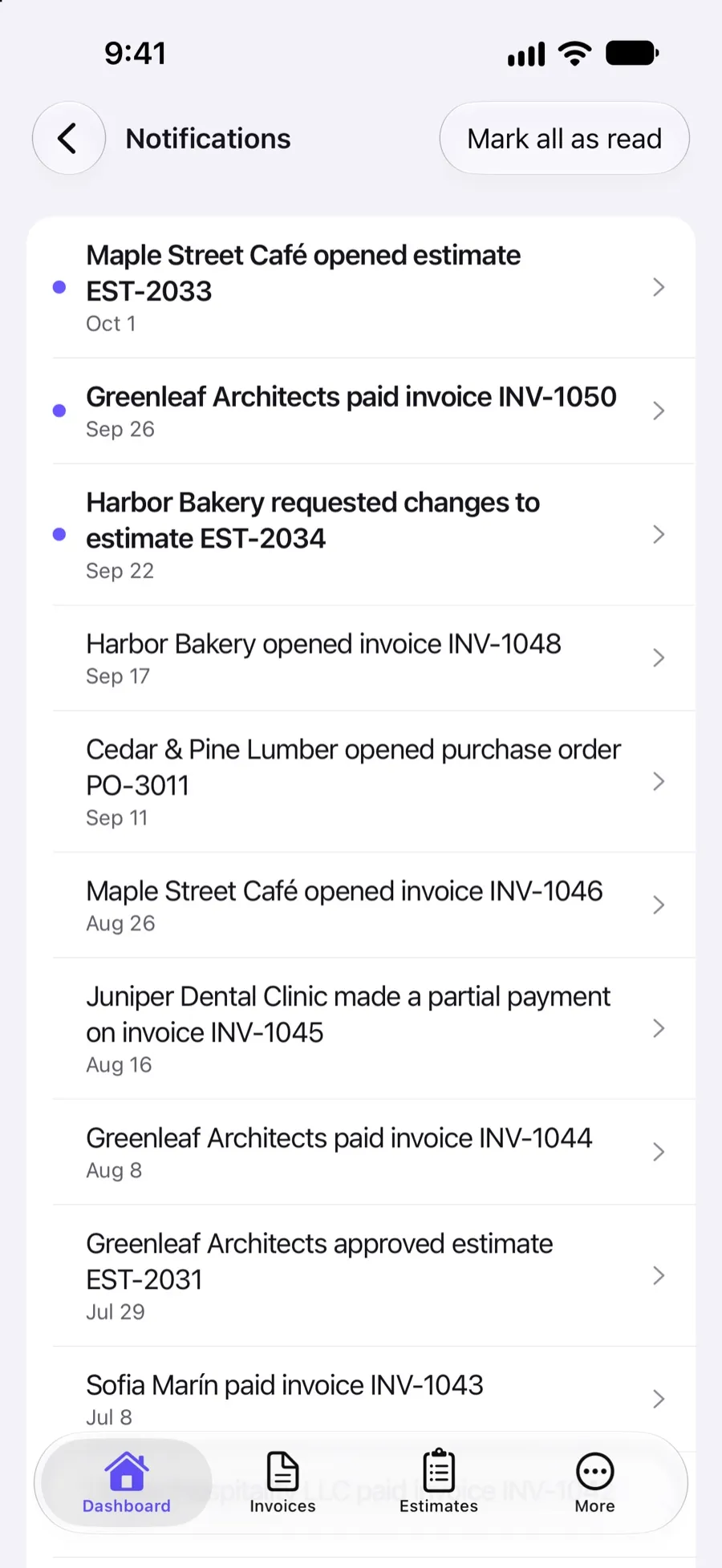
Know the moment a client opens your invoice, estimate or purchase order, and when it is paid.
Estimates become invoices
Clients approve an estimate online, and one tap turns it into an invoice.
Recurring invoices
Every week, 2 or 3 weeks or month, the next draft is ready for you to check and send.
Your logo and colors
Pick one of 8 designs and add your logo and brand color.
Reports that show who owes you
Sales by client and item, taxes, and what each client still owes, with spreadsheet exports.
119 currencies and your taxes
Invoice in any of 119 currencies, with your own tax rates, inclusive or exclusive, on every line.
Web, iPhone and Android
Start an invoice in the browser and finish it on your phone. Everything stays in sync.
Invoicing software that chases payments for you
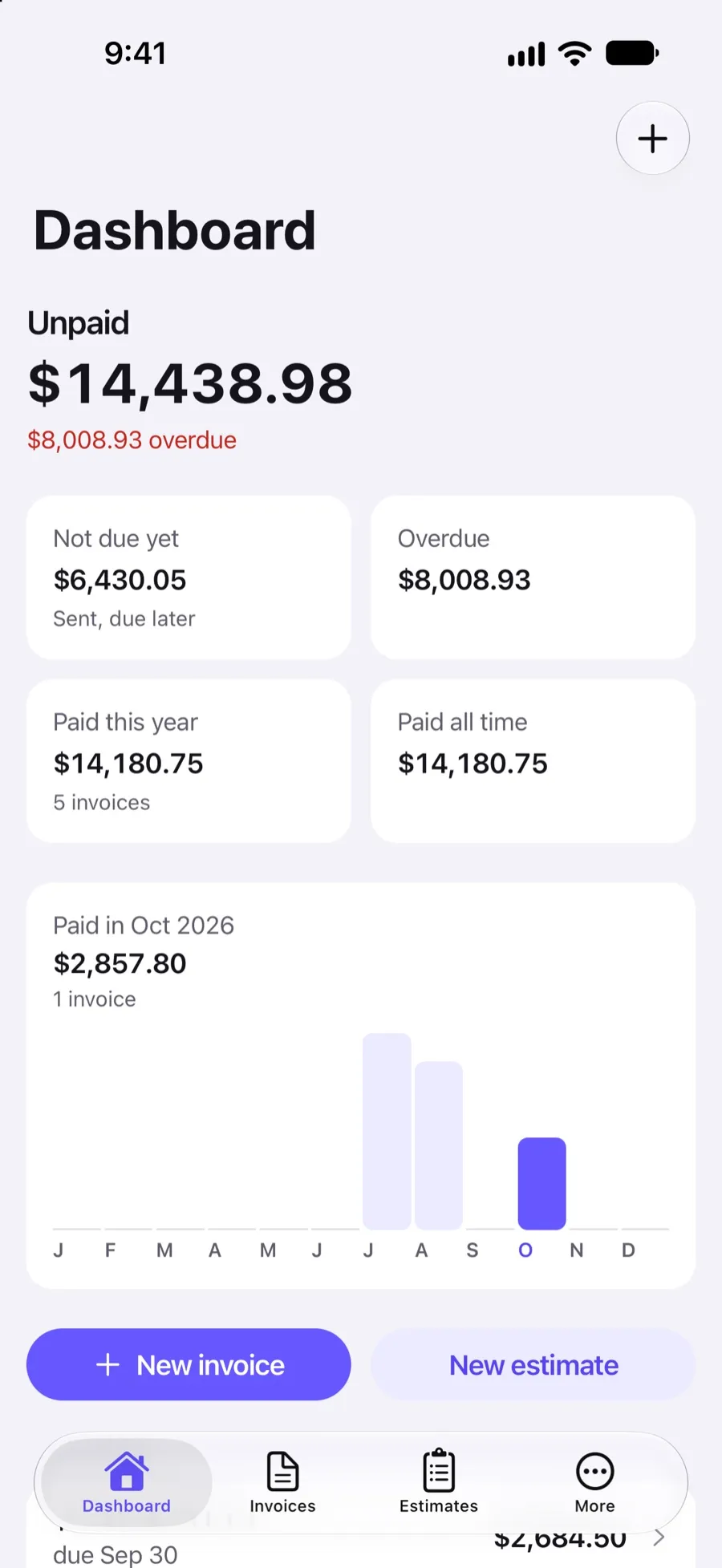
See at a glance what's unpaid and overdue, get a notification the moment a client opens or pays an invoice, and let Invoxa send polite payment reminders, so you don't have to.
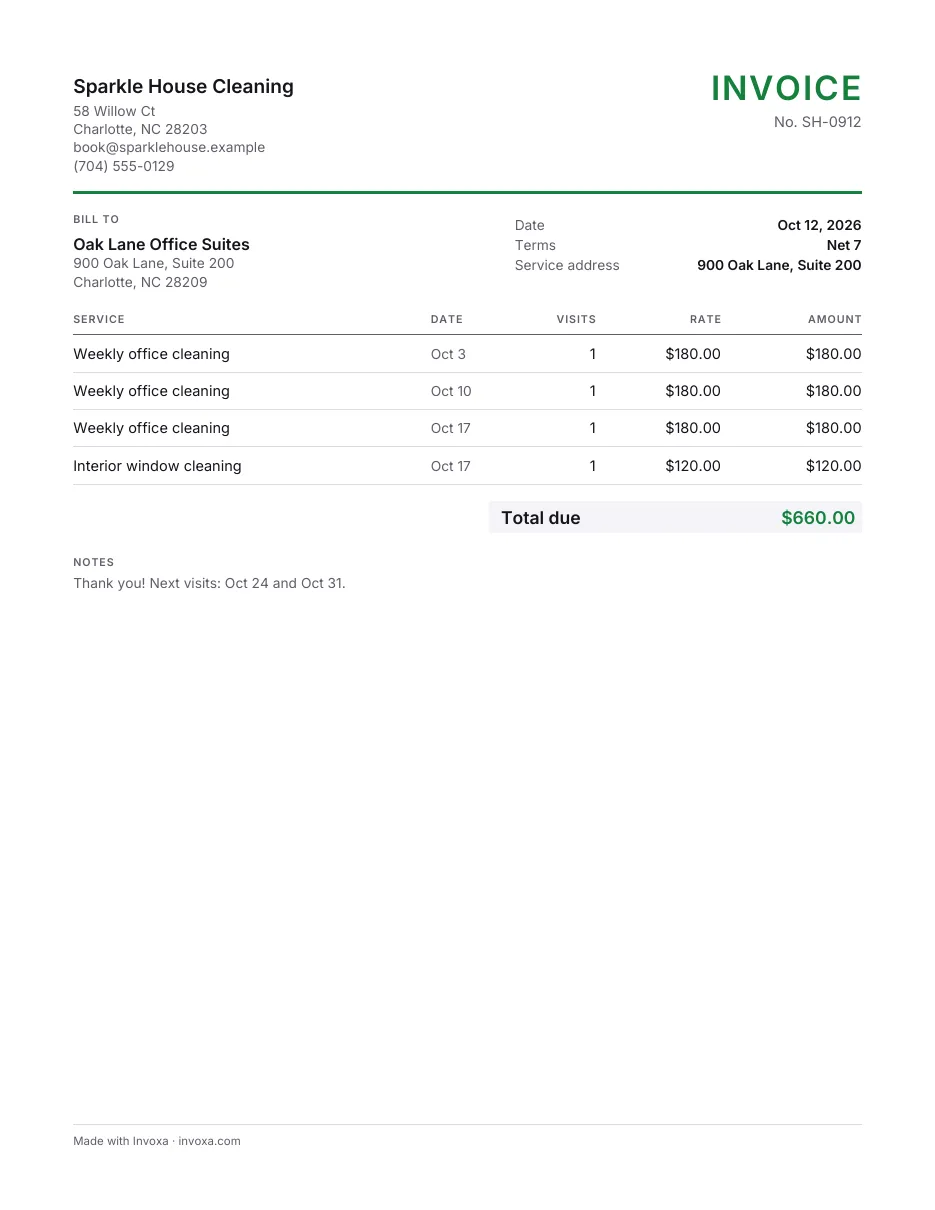
Professional invoice templates
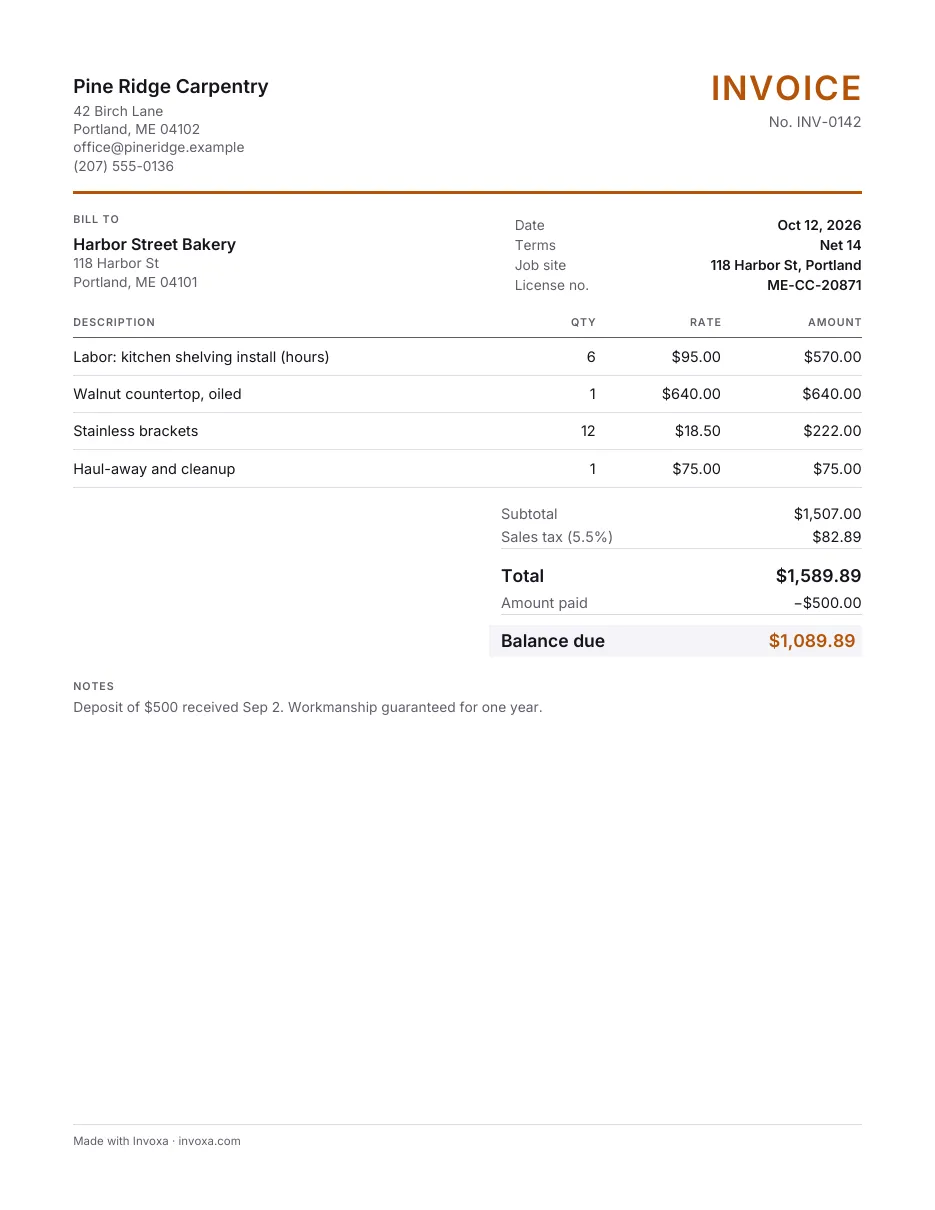
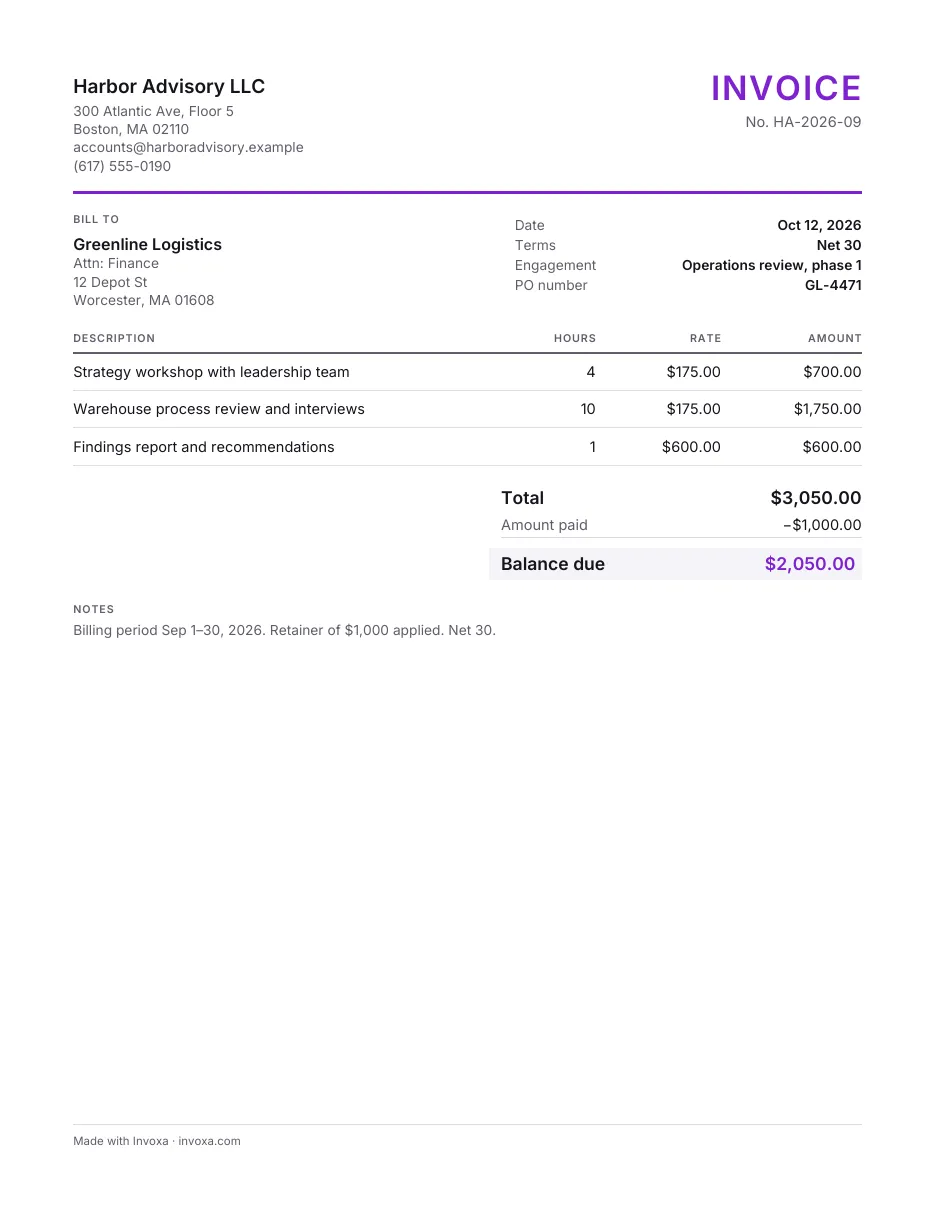
Pick one of 8 templates, add your logo and brand color, and every invoice, estimate and purchase order looks like it came from a bigger business. Prefer a file? Download a free template for Word, Excel or Google Docs.
 Read reviews on App Store
4.9 out of 5 on App Store
 Read reviews on Google Play
4.9 out of 5 on Google Play